
stream
Places to put the AI
Every product team building with AI faces the same question: where does the AI interaction go? Not the model or the prompt, but the affordance: the surface the user sees and interacts with. For my own reference and discussions I wanted to capture these.
Even though the chat box is where this all got started, these are not stages of maturity; they coexist, and some products use three or four at once.
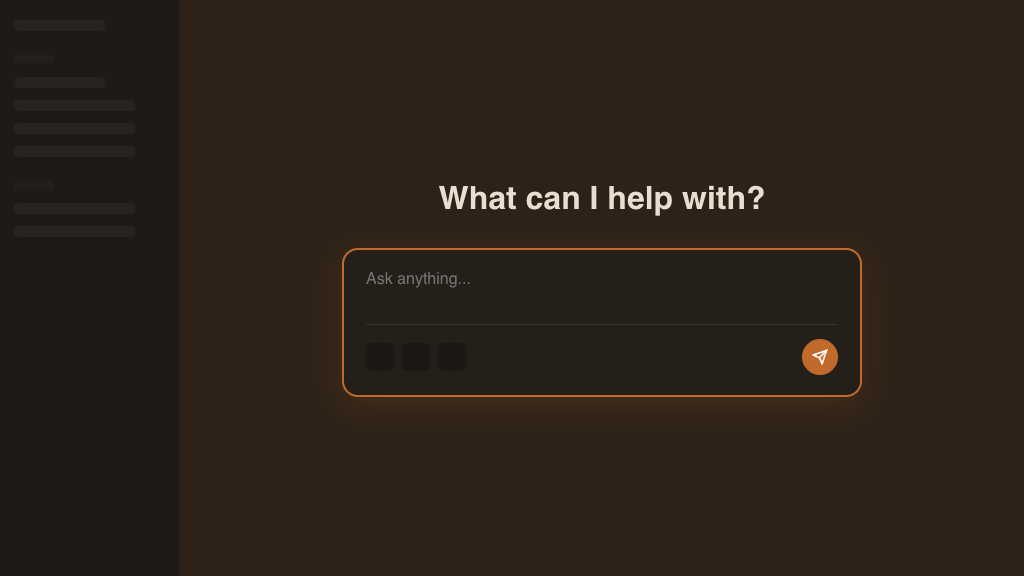
1. The Chat Box. AI is the entire product. Blank canvas, the user brings the problem. The interface is maximally general, minimally opinionated. It stands in isolation from other systems, perhaps rendering task-specific UIs on-demand. ChatGPT, Claude, Gemini.
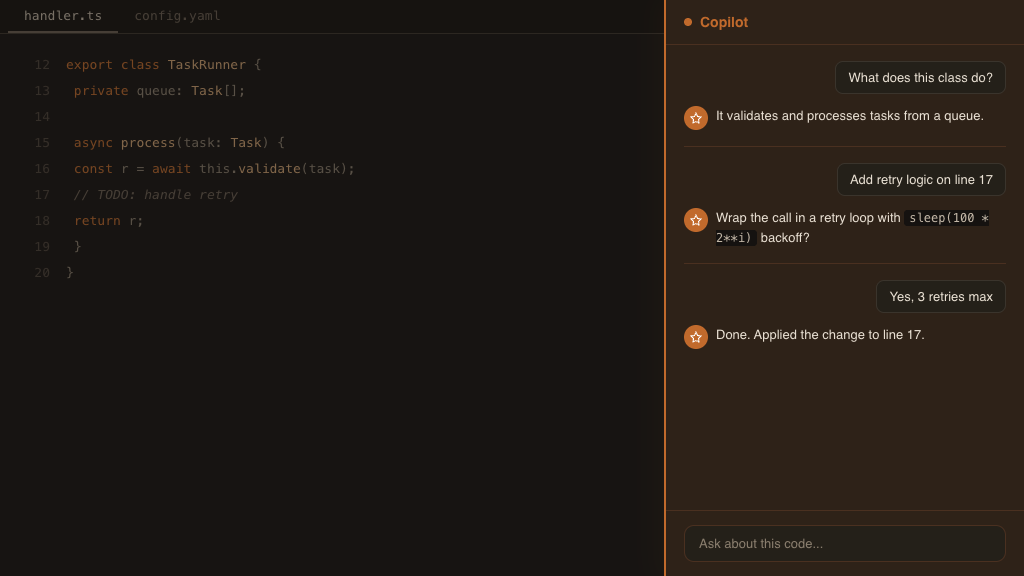
2. The Copilot Sidebar. AI bolted onto an existing workspace as a parallel pane. Human drives and asks, AI advises and answers. The interaction is back-and-forth: ask a question, get a suggestion, refine, apply. GitHub Copilot Chat, Cursor's old sidebar experience, Google Slides Gemini panel.
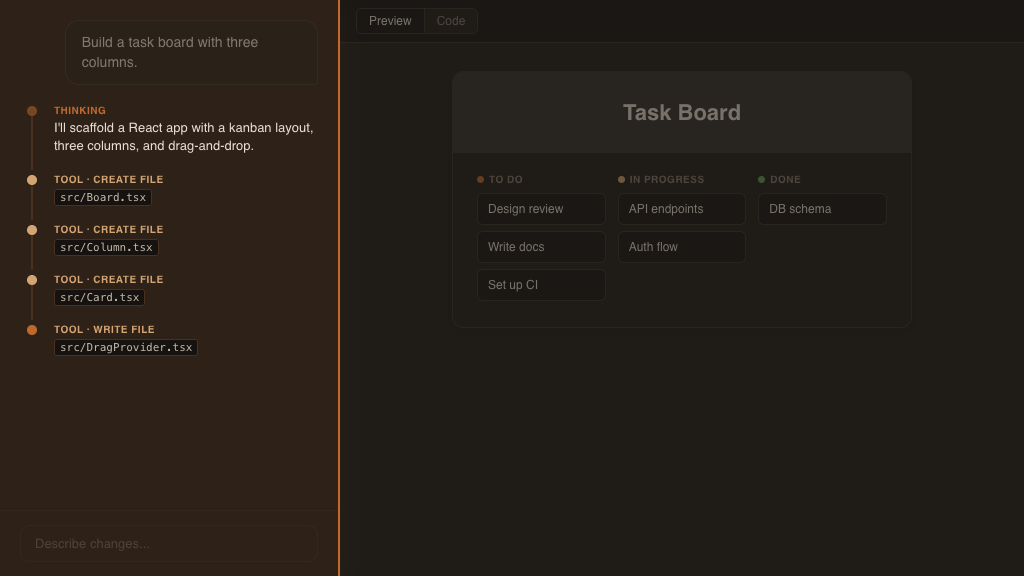
A more powerful version moves the locus of control. Same spatial layout, but one prompt and the agent runs: reasoning, tool calls, file creation. Human watches, sometimes steers. Lovable.
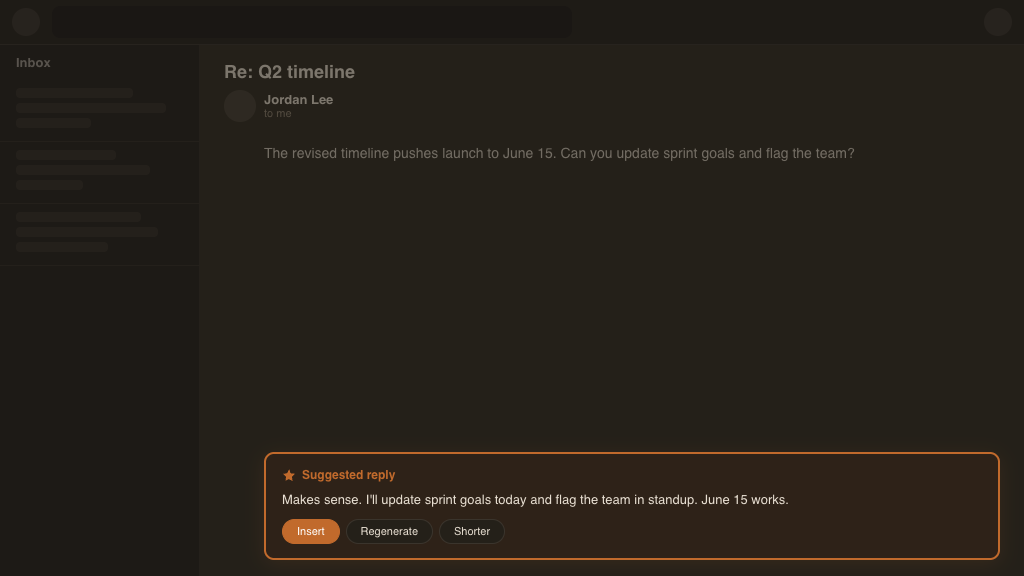
3. The Inline Assist. AI surfaces a suggestion at the point of work. No separate pane, no conversation. The user accepts, rejects, or tweaks. Gmail's smart reply, Notion AI's inline completions. The lightest-touch integration.
4. The Bot Among Humans. AI participates in existing work as a fellow employee. It @-replies in Slack, posts in threads, takes actions when asked. The affordance in this case is the chat message itself. The AI conforms to the humans' space rather than the other way around.
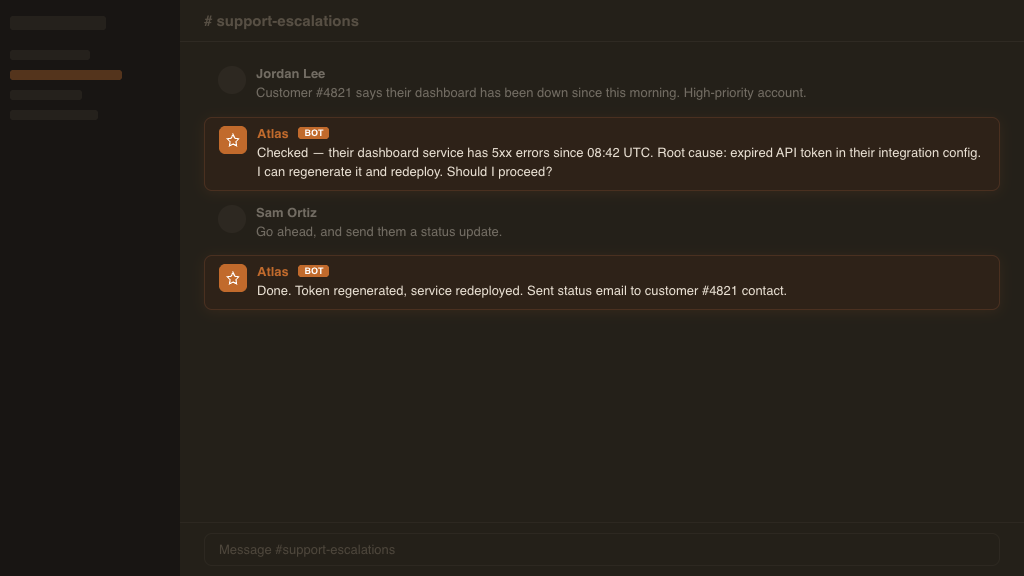
The orange highlight in each mock shows where the AI lives. In some patterns it's the whole screen, in others it's a sliver. It feels that the less present an agent is in the UI, the more autonomous it must be.