
How to install a Claude Code skill from GitHub
Quick answer: first check how the GitHub repository packages the skill. If it is a standalone skill, copy the complete directory containing SKILL.md into ~/.claude/skills/<name>/ or your project’s .claude/skills/<name>/. If it is distributed through a plugin marketplace, add the repository as a marketplace and then install the plugin. The example below uses the marketplace route.
Looking for something to install? Browse my agent skills.
I published an Estonia public-sources skill in a Claude Code plugin marketplace on GitHub. Someone messaged me on LinkedIn saying they wanted to use it but got stuck. Two problems. The installation steps weren't obvious. And once installed, Claude kept asking for permission to visit every URL the skill referenced.
That public-sources skill is now largely superseded by Kodaniku Kratt. The example below uses Estonian store search instead.
Both are fixable in about two minutes. Here's how.
Installing in Claude Code Desktop
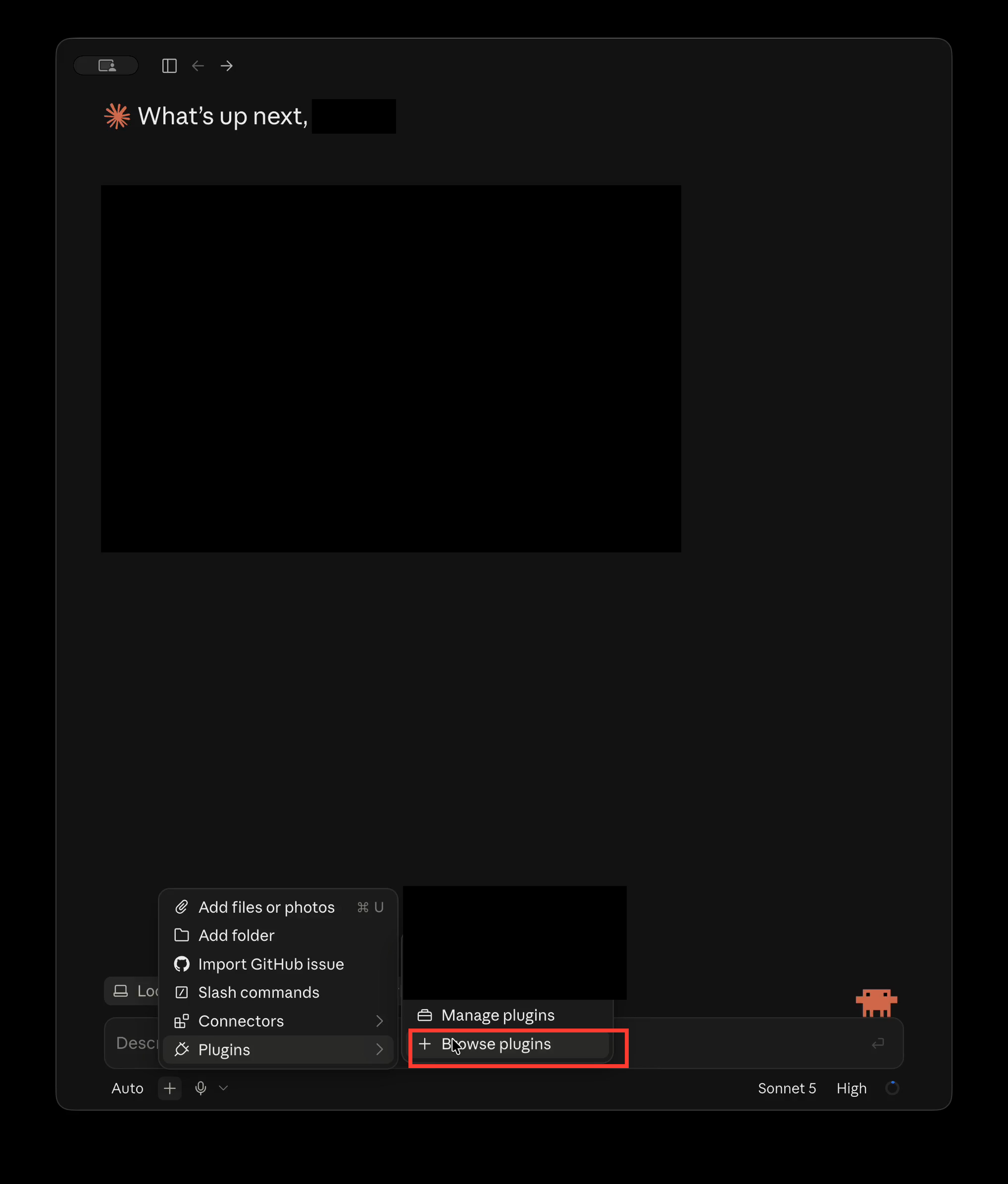
Open Claude Code Desktop and start a local or SSH session. Click the + button beside the prompt, choose Plugins, then select Browse plugins.
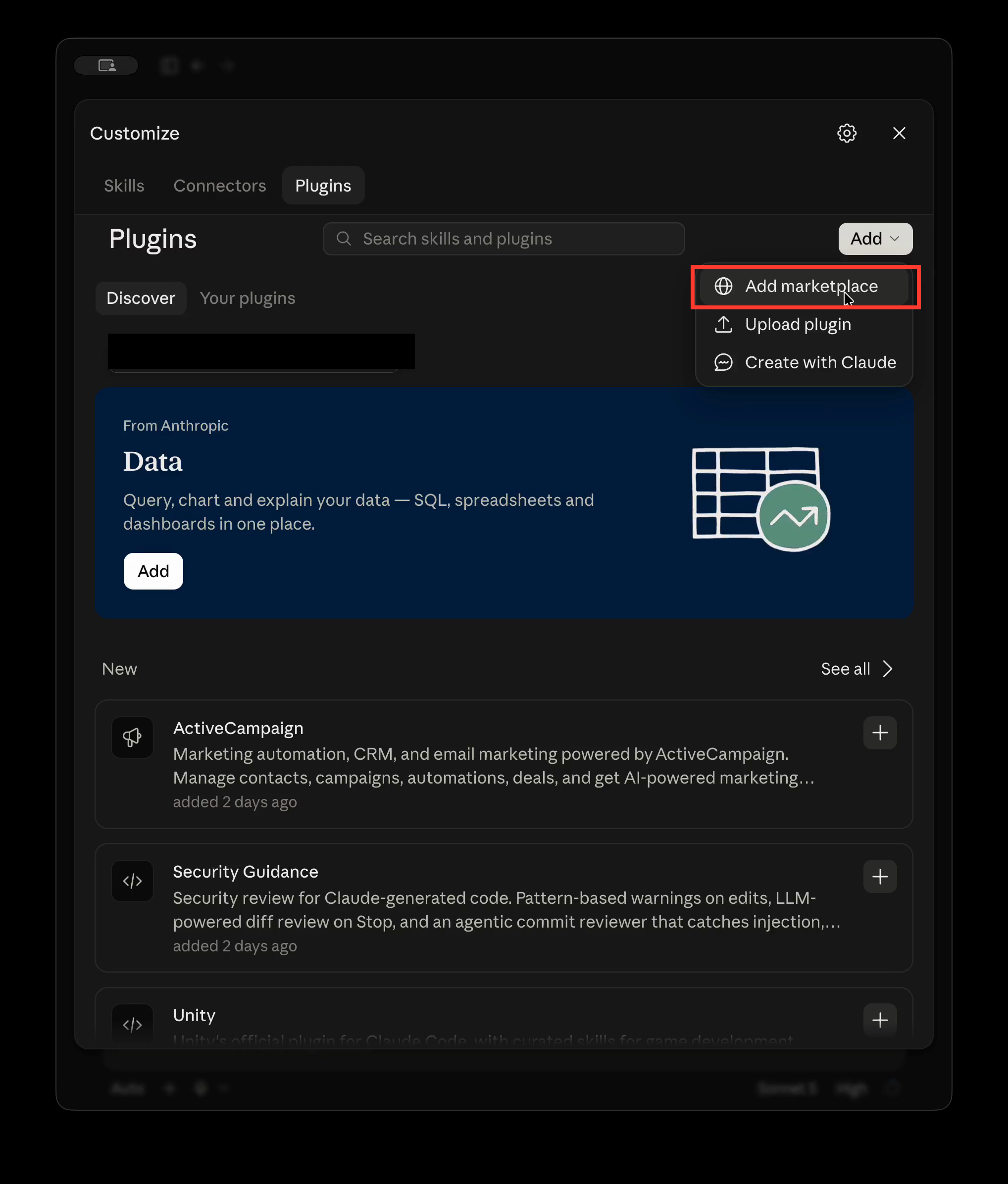
In the Plugins panel, click Add and choose Add marketplace.
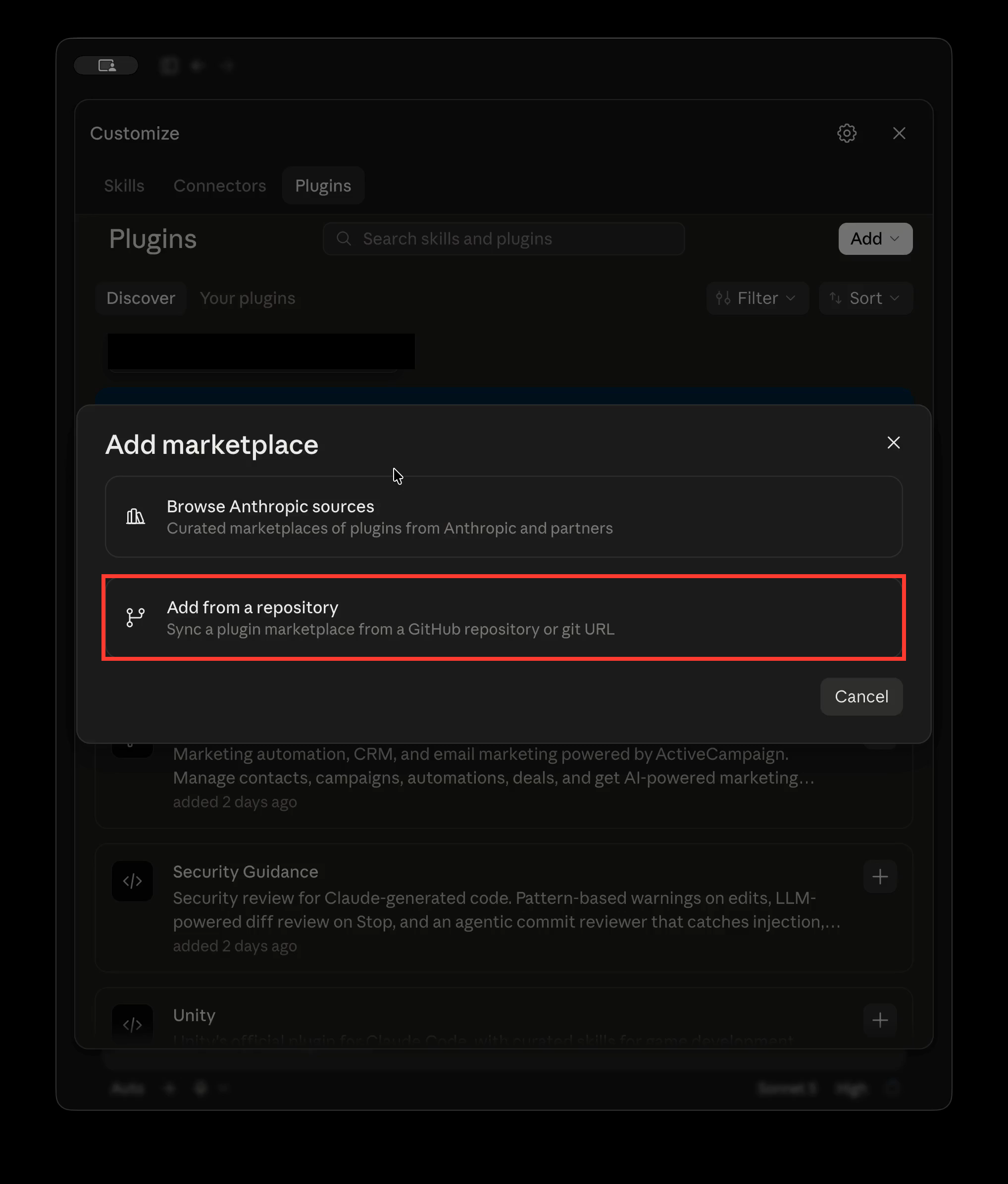
Select Add from a repository.
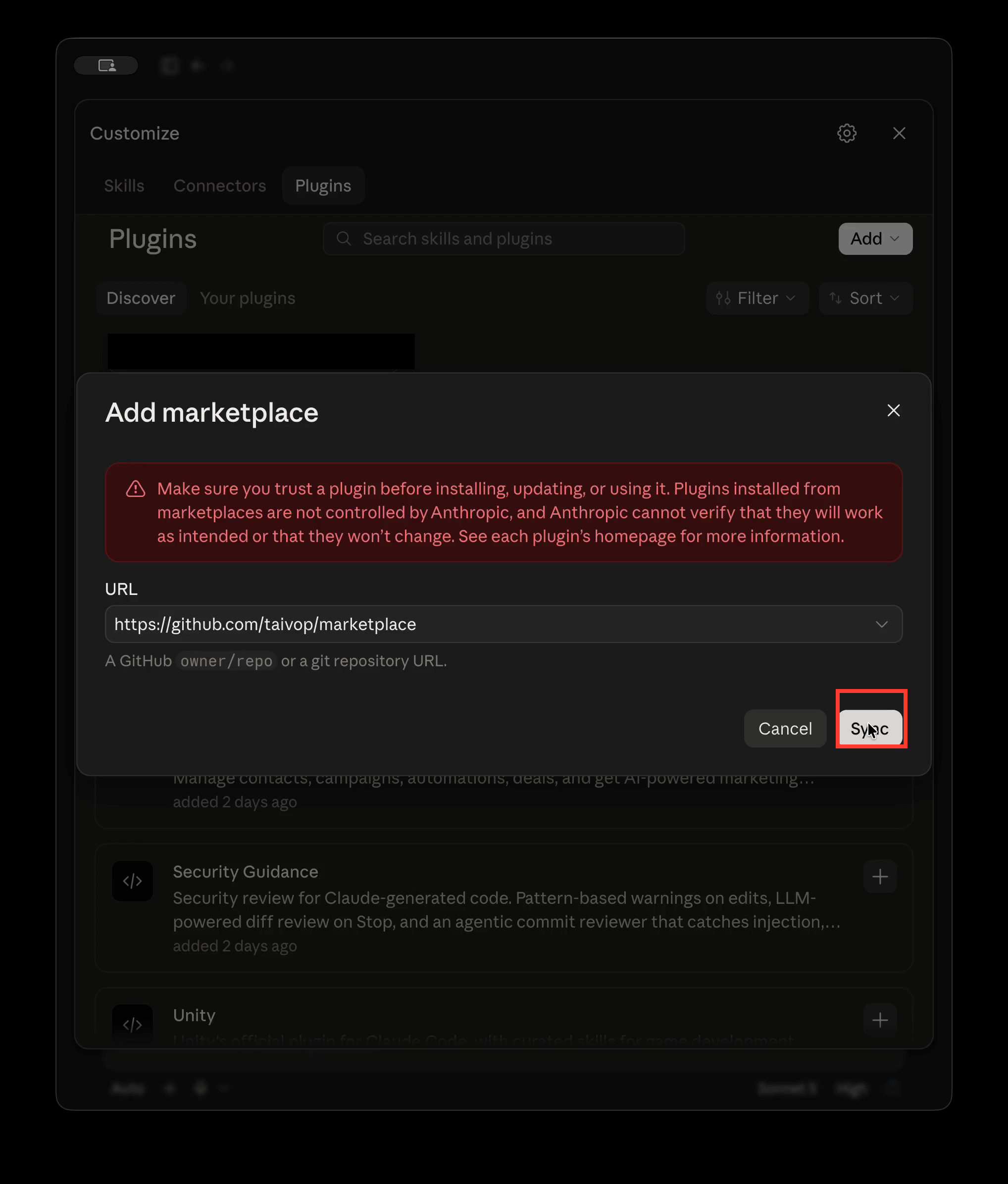
Paste the GitHub owner/repo path or full repository URL. For my agent skills marketplace, use https://github.com/taivop/marketplace. Click Sync.
Once the marketplace finishes syncing, find the plugin under Discover and click Add. Installed plugins appear under Your plugins, and their skills become available from the + menu or by typing /.
Installing in Claude Code CLI
Two commands:
claude plugin marketplace add taivop/marketplace
claude plugin install estonian-store-search@marketplace
The first registers the marketplace. The second installs a specific plugin from it. If Claude Code is already open, run /reload-plugins; otherwise, start a new session.
Edit video with Claude
Since writing this, I’ve built mex for editing video with Claude. Give Claude a video and describe the result you want: make it vertical, add subtitles, or clean up the audio. Claude looks through the footage, makes the editing decisions, and returns the finished file. mex runs the precise media work locally on your Mac.
“Do I need to download the skill?”
For the marketplace method above, you don’t download or copy files manually: Claude Code fetches the marketplace and plugin. Standalone skills are different—you copy the complete skill directory, including SKILL.md and any supporting files, into your personal or project skills folder.
Reading the code before installing is worth doing. Plugins can contain executable components and run with your user privileges, so install them only from sources you trust.
"Why does it keep asking me to approve things?"
The estonian-store-search skill tells Claude where to find information: which URLs to fetch, which APIs to call, which pages to scrape. But Claude Code operates on a permission model. The first time it tries to fetch a URL or run a command, it asks you.
This isn't a bug. The skill gives Claude the knowledge of what to do; the permission system gives you control over what it actually does. Think of the skill as a map and the approvals as border checkpoints.
In practice, you'll see prompts like "Allow WebFetch to access bauhof.ee?" the first time. You can approve once, or use the "Allow always" option so it doesn't ask again for that domain.
In Claude Code, run /permissions to review the rules. For a domain you trust, you can add an allow rule such as WebFetch(domain:bauhof.ee).